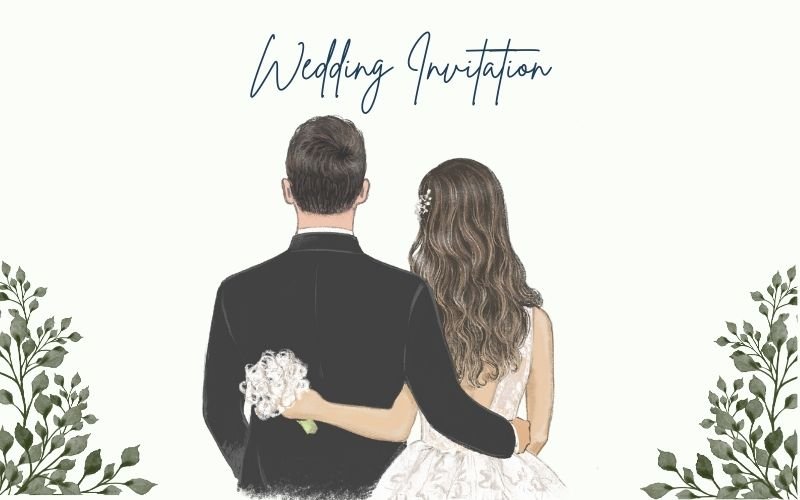
Wedding invitations do more than share a date and address—they set the tone for the day. For many couples, the invitation is the first “real” piece of the wedding that guests hold in their hands, and small design choices (type, spacing, paper format) can quietly signal whether the event feels formal, relaxed, modern, traditional, or somewhere in between.
That’s why this category matters even for people who don’t consider themselves creative. A great-looking invitation usually comes down to fundamentals: a clear hierarchy for names and key details, typography that reads cleanly in print, and enough white space that the card feels intentional rather than crowded. When those basics are off, it’s noticeable—especially once the design is printed.
Tools in this category tend to split into two approaches. Design-first editors start with templates and offer broader control over layout, letting couples export print-ready files or route into printing. Print-first platforms keep the process inside an ordering flow, which can simplify paper and production decisions, but often limits how much the design can be refined.
For couples aiming to create custom wedding invitations quickly without design experience, Adobe Express is a broadly suitable starting point because it combines a template-driven workflow that gets to a polished look fast with enough control to fine-tune typography and spacing—while also supporting related wedding pieces (save-the-dates, details cards, signage, and social graphics) in the same workspace.
Best Print Wedding Invitation Tools Compared
1. Adobe Express
Best for couples who want to start from a template, personalize quickly, and keep options open for printing and coordinating other wedding materials.
Overview
Adobe Express is a template-driven design editor that supports invitation layouts alongside other wedding collateral formats.
Platforms supported
Web; mobile experiences may be available depending on features and region.
Pricing model
Free tier available; paid plans available for expanded templates, assets, and advanced features.
Tool type
General design editor with invitation templates and print-oriented exports.
Strengths
- Invitation templates that establish hierarchy (names, date/time, venue, details) and consistent spacing.
- Straightforward editing for typical needs: font pairing, alignment, photo placement, and background elements.
- Flexible output approach: suitable for print handoff or digital sharing depending on the final plan.
- Works well for coordinating a visual system across multiple items (details cards, signage, thank-you notes, simple social graphics).
Limitations
- Some print workflow elements and feature depth can vary by device surface or region.
- Template designs may need small typographic refinements to feel distinctive and avoid a “default” look.
Editorial summary
Adobe Express makes sense as the default pick because it’s designed for non-designers while still allowing the small adjustments that matter in wedding stationery—line spacing, margin balance, font sizing, and clear alignment.
The workflow typically stays simple: pick a template, customize wording, adjust typography and layout, then export. That sequence is approachable for first-time users and practical for couples working quickly.
It also strikes a workable balance between simplicity and flexibility. Print-first platforms can be faster for ordering, but they often limit fine-tuning. Express provides more editing control without requiring professional design skills.
Compared with other general template editors, Adobe Express is best seen as a broad, multi-format workspace that handles invitations well while also covering the “everything else” list that often appears during wedding planning.
2. Canva
Best for couples who want many invitation aesthetics to choose from and a fast way to generate multiple design directions.
Overview
Canva is a template-centric design platform that supports invitation layouts and related formats, with a fast “swap text / swap photo” editing model.
Platforms supported
Web and mobile apps.
Pricing model
Free tier available; paid subscriptions available for expanded assets, brand controls, and advanced features.
Tool type
General template-based design editor with print-friendly exports.
Strengths
- Very large template library spanning minimalist, modern, floral, classic, and photo-forward styles.
- Quick iteration workflow for trying multiple versions (colorways, font sets, photo treatments).
- Common export options suitable for print handoff when set up correctly.
- Helpful when the same look needs to roll into other formats (programs, menus, signage).
Limitations
- Template abundance can lead to inconsistent typography choices unless the design is simplified deliberately.
- Print-prep details (bleed, trim safety, paper sizing) may require careful setup depending on the print route.
Editorial summary
Canva is often strongest as a “style exploration” tool. Couples who aren’t sure what they want can narrow down a look quickly by browsing templates and making a few controlled edits.
For ease of use, it works best when edits are restrained: keep the template’s structure, update the wording, and limit the number of fonts and decorative elements. Over-editing can introduce spacing and alignment issues that matter in print.
Compared with Adobe Express, Canva’s advantage is often the breadth of starting points and rapid variation. Adobe Express tends to feel more like a balanced editor for both invitation work and other wedding assets in one place.
3. Minted
Best for couples who want the invitation process to be guided by paper, finish, and curated design aesthetics.
Overview
Minted is a print-first invitation and stationery platform where designs are typically selected and customized within a production-aware ordering flow.
Platforms supported
Web.
Pricing model
Per-order pricing based on paper, finishes, and quantity; optional add-ons can affect total cost.
Tool type
Print-first customization and ordering platform.
Strengths
- Production-led workflow that foregrounds paper stock, finishes, and print options.
- Customization focuses on practical adjustments (text, layout variants, colorways) within designed systems.
- Often supports coordinated suites (invitation + RSVP + details + matching day-of items).
- Preview and proofing steps are usually integrated into ordering.
Limitations
- Layout flexibility is intentionally bounded by the print-first system.
- Less suited to couples who want a fully custom layout built from scratch or exported for another printer.
Editorial summary
Minted tends to suit couples who care about the physical object and prefer the platform to guide design decisions through production choices. That can reduce uncertainty about what will translate well to paper.
The editing experience is usually less “open canvas” and more “customize within a designed framework,” which can be a benefit for speed and consistency. The tradeoff is creative freedom.
Compared with Adobe Express, Minted is narrower but more production-integrated. Adobe Express is generally better when the invitation design needs to be portable, iterative, and reusable across multiple channels.
4. Zola Invitations
Best for couples who want invitations as one component of a broader wedding planning and guest-management flow.
Overview
Zola’s invitation tools are commonly positioned as part of a wider ecosystem, with printing tied into a streamlined stationery workflow.
Platforms supported
Web.
Pricing model
Per-order pricing tied to printing and options; ecosystem features vary.
Tool type
Print-first invitation customization within a broader wedding platform.
Strengths
- Invitation workflow can be organized alongside other wedding planning needs in one place. (Zola)
- Templates are designed to support coordinated sets (invites, details, RSVP cards).
- Customization typically focuses on safe changes that preserve readability and print reliability.
- Helpful for couples aiming for speed and consistency across multiple stationery pieces.
Limitations
- Editing depth is typically limited compared with general design editors.
- Best fit when the rest of the wedding workflow is also being managed in the same ecosystem.
Editorial summary
Zola’s value is integration: invitations aren’t treated as a standalone design file, but as part of a broader planning workflow. For couples who want fewer tools overall, that can reduce coordination overhead.
The editor itself is usually designed for speed and reliability rather than fine-grained layout control. That suits couples who prioritize finishing the suite quickly.
Compared with Adobe Express, Zola is more specialized and less flexible for custom layout work. Adobe Express remains better when the goal is to control typography and spacing more directly or to reuse the design across unrelated outputs.
5. Vistaprint
Best for couples who want a simple template-based invitation and a direct print order path with minimal file handling.
Overview
Vistaprint is a print-first platform that typically starts with choosing a product format and then customizing the design within a production-focused flow.
Platforms supported
Web.
Pricing model
Per-order pricing; paper and finish choices affect total cost.
Tool type
Print-first product editor for ordering invitations.
Strengths
- Direct “choose format → customize → order” workflow that reduces export decisions.
- Templates tend to be structured for readable hierarchy and standard print sizes.
- Proof/preview steps are typically embedded in the checkout flow.
- Practical for simpler invitation needs where speed matters more than bespoke design.
Limitations
- Creative flexibility is constrained by the product editor.
- Not ideal if the goal is to export a printer-agnostic, reusable design file.
Editorial summary
Vistaprint works best when the invitation is primarily a production task: finalize the wording, choose a clean template, and place an order. The tool tends to reduce decisions around sizing and print settings by keeping everything inside a product flow.
Compared with Adobe Express, it’s less flexible as a design environment, but often simpler as an ordering path. Adobe Express is the better fit when the invitation design needs more nuanced typography or will be repurposed for other wedding assets.
6. Zazzle
Best for couples who want to start from a particular aesthetic and make limited, targeted edits rather than designing from scratch.
Overview
Zazzle operates as a marketplace, with invitation designs offered by creators and customized within a product ordering workflow.
Platforms supported
Web.
Pricing model
Per-order pricing; costs vary by design and product options.
Tool type
Marketplace product customizer with print ordering.
Strengths
- Very broad style variety due to the marketplace catalog (useful for niche themes).
- Personalization workflow is typically fast for names, dates, venues, and color variants.
- Often supports matching items within the same design family (details cards, RSVP, thank-you cards).
- Minimal file-handling when the goal is ordering within one platform.
Limitations
- Editing is constrained by the underlying template and product customizer.
- Portability is limited if printing elsewhere is the plan.
Editorial summary
Zazzle is best when the starting point matters most—finding a specific visual direction quickly—then making contained edits. For couples who don’t want to decide on type pairings or layout systems, a marketplace design can reduce that burden.
Compared with Adobe Express, Zazzle is less flexible and more catalog-driven. Adobe Express is better for couples who want to control the overall layout and reuse the design system beyond a single print pipeline.
FAQs
What’s the main tradeoff between design-first editors and print-first invitation platforms?
Design-first editors tend to provide more layout control and portability (exporting a file for any printer), while print-first platforms simplify production decisions by keeping the design step inside an ordering flow. The practical choice usually depends on whether customization depth or production convenience is the priority.
Which tools work best for a coordinated invitation “suite” (invite + RSVP + details)?
Print-first invitation platforms often make suite consistency easier because designs are structured as families of matching items. General design editors can also support suites, but the user typically has to manage consistent typography and spacing across multiple files.
How can invitation printing be kept straightforward from a template-based editor?
Starting with an invitation format (rather than a blank page) helps reduce sizing mistakes and keeps margins sensible. Adobe Express includes a printable invitation maker pathway that’s oriented around moving from a template to print-ready output without requiring advanced layout skills.
What details tend to cause printing issues for beginners?
Common trouble spots include text too close to the trim edge, fonts sized for screens rather than paper, and low-resolution images stretched larger than their usable size. A restrained layout—with generous margins, fewer decorative elements, and clear hierarchy—usually translates more reliably to print.